
How to Use DigiLocker for Certificates and Documents: A Complete Guide
Introduction
In today’s digital era, managing physical documents has become increasingly inconvenient. Important certificates such as Aadhaar cards, driving licenses, educational degrees, PAN cards, and vehicle registration papers are often required at short notice, and losing them can cause unnecessary stress. To address this challenge, the Government of India launched DigiLocker, a secure digital platform that allows citizens to store, access, and share official documents online.
DigiLocker is a flagship initiative under the Digital India program and aims to reduce dependency on physical documents while ensuring authenticity and ease of access. Whether you are a student, professional, vehicle owner, or government employee, DigiLocker simplifies document management by keeping everything safely stored in one place.
This article provides a complete, step-by-step guide on how to use DigiLocker for certificates and documents, including registration, uploading files, fetching government-issued documents, sharing them, and understanding their legal validity.
What Is DigiLocker?
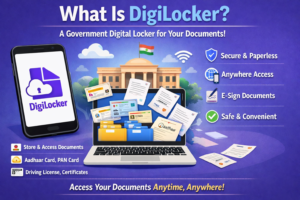
DigiLocker is a cloud-based digital document wallet provided by the Ministry of Electronics and Information Technology (MeitY), Government of India. It enables users to:
-
Store documents securely in digital format
-
Access certificates anytime, anywhere
-
Share verified documents electronically
-
Avoid carrying physical copies
-
Reduce the risk of loss, damage, or forgery
Documents stored in DigiLocker are legally valid under the Information Technology Act, 2000, and are accepted by most government and private institutions.
Why Use DigiLocker?
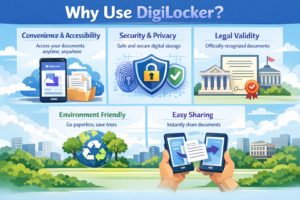
1. Convenience and Accessibility
DigiLocker allows users to access their documents 24/7 from a smartphone or computer, eliminating the need to carry physical copies.
2. Security and Privacy
Documents are stored in an encrypted format and protected through Aadhaar-based authentication, OTP verification, and secure login credentials.
3. Legal Validity
Digitally issued documents in DigiLocker are treated as equivalent to original physical documents, as per government notifications.
4. Environment Friendly
By reducing the use of paper, DigiLocker supports sustainability and eco-friendly governance.
5. Easy Sharing
Documents can be shared electronically with authorities, employers, or educational institutions, saving time and effort.
How to Create a DigiLocker Account
Creating a DigiLocker account is simple and free.
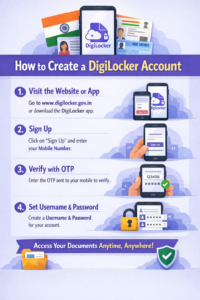
Step 1: Visit the Official Platform
You can access DigiLocker through:
-
Website: https://www.digilocker.gov.in
-
Mobile App: Available on Google Play Store and Apple App Store
Step 2: Sign Up
Click on “Sign Up” and enter:
-
Mobile number linked with Aadhaar
-
OTP received on your mobile
Step 3: Set Username and Password
Create a unique username and a strong password to secure your account.
Step 4: Link Aadhaar (Optional but Recommended)
Linking Aadhaar allows you to fetch official documents directly from issuing authorities.
Once registered, your DigiLocker account is ready to use.
Understanding the DigiLocker Dashboard
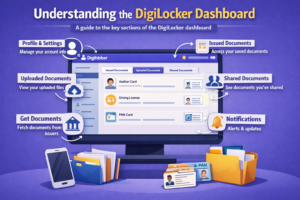
After logging in, you will see a user-friendly dashboard with different sections:
-
Issued Documents – Certificates directly issued by government authorities
-
Uploaded Documents – Files you upload manually
-
Requested Documents – Documents fetched using Aadhaar or other IDs
-
Profile Section – Personal details and security settings
Each section helps you organize and manage documents efficiently.
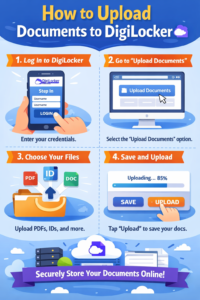
How to Upload Documents to DigiLocker
Uploading personal documents such as scanned certificates or PDFs is straightforward.
Step 1: Log In
Sign in to your DigiLocker account.
Step 2: Go to “Uploaded Documents”
Click on the “Upload” option.
Step 3: Select File
Choose a file from your device (PDF, JPEG, or PNG format).
Step 4: Enter Document Details
Provide a document type, name, and optional description.
Step 5: Upload and Save
Once uploaded, the document is stored securely in your DigiLocker.
Uploaded documents can also be self-attested digitally for official use.
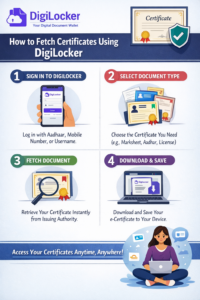
How to Fetch Certificates Using DigiLocker
One of DigiLocker’s most powerful features is the ability to fetch original certificates directly from issuing authorities.
Common Documents Available:
-
Aadhaar Card
-
Driving License
-
Vehicle Registration Certificate (RC)
-
PAN Card
-
Class 10 & 12 Mark Sheets
-
Degree Certificates
-
Birth Certificates
Steps to Fetch Documents:
-
Go to “Issued Documents”
-
Select the issuing authority
-
Enter required details (Aadhaar number, roll number, license number, etc.)
-
Click “Get Document”
Once fetched, the document is automatically stored and marked as verified.
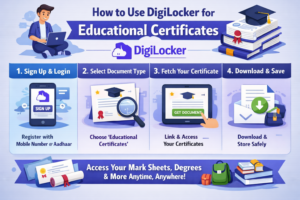
How to Use DigiLocker for Educational Certificates
Students and professionals can securely store academic records in DigiLocker.
Educational Documents Supported:
-
CBSE/ICSE mark sheets
-
State board certificates
-
University degrees
-
Skill certificates
Benefits for Students:
-
Easy college admissions
-
Online job applications
-
Scholarship verification
-
Higher education abroad
Institutions can verify documents digitally, reducing fraud and delays.
Want to know about Top Government Scholarship Programs for Students in 2025
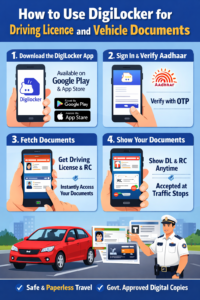
How to Use DigiLocker for Driving License and Vehicle Documents
DigiLocker is widely accepted by traffic police and transport authorities.
Documents You Can Store:
-
Driving License (DL)
-
Vehicle Registration Certificate (RC)
-
Insurance documents
-
Pollution Under Control (PUC)
Legal Acceptance:
As per Ministry of Road Transport and Highways (MoRTH), DigiLocker documents are valid during traffic checks and do not require physical copies.
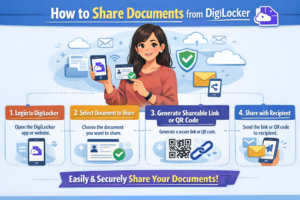
How to Share Documents from DigiLocker
DigiLocker allows seamless and secure document sharing.
Steps to Share:
-
Select the document
-
Click on “Share”
-
Generate a link or provide access using email/ID
-
Share with the concerned authority
Shared documents remain tamper-proof and verifiable.
Digital Signatures and Self-Attestation
DigiLocker supports self-attestation, eliminating the need for physical signatures.
-
Documents can be digitally signed
-
Authentication is linked with Aadhaar
-
Accepted by most government agencies
This feature simplifies online applications and verifications.
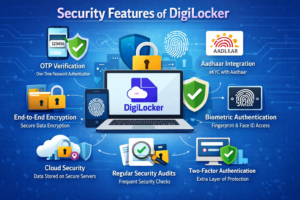
Security Features of DigiLocker
DigiLocker follows strict security standards:
-
256-bit encryption
-
OTP-based authentication
-
Aadhaar verification
-
Secure cloud infrastructure
Users can also enable additional security settings for enhanced protection.
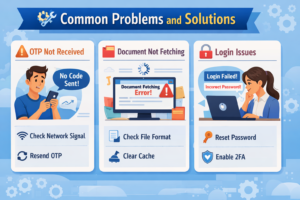
Common Problems and Solutions
1. OTP Not Received
Ensure your mobile number is linked with Aadhaar and has network coverage.
2. Document Not Fetching
Check entered details carefully and confirm the issuing authority supports DigiLocker.
3. Login Issues
Use the “Forgot Password” option or reset credentials securely.
Advantages of DigiLocker Over Physical Documents
| Feature | DigiLocker | Physical Documents |
|---|---|---|
| Accessibility | Anytime, Anywhere | Limited |
| Risk of Loss | Minimal | High |
| Verification | Instant | Time-Consuming |
| Storage | Cloud-Based | Physical Space |
| Eco-Friendly | Yes | No |
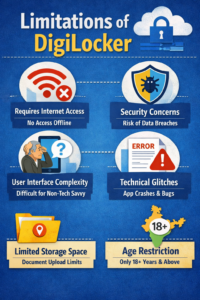
Limitations of DigiLocker
While DigiLocker is highly useful, it has some limitations:
-
Requires internet access
-
Not all institutions are fully integrated
-
Some documents may not be available digitally
However, continuous government expansion is addressing these gaps.
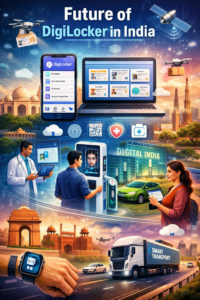
Future of DigiLocker in India
With increasing digital adoption, DigiLocker is expected to become the primary document verification system across India. Integration with private institutions, banks, universities, and international platforms will further enhance its usefulness.
DigiLocker plays a crucial role in building a paperless, transparent, and efficient governance ecosystem.
Conclusion
DigiLocker is a revolutionary digital tool that simplifies how citizens store, access, and share certificates and documents. By eliminating paperwork, enhancing security, and ensuring legal validity, DigiLocker empowers individuals and supports India’s digital transformation.
Whether you are a student managing academic records, a professional handling official documents, or a vehicle owner carrying licenses, DigiLocker offers a safe, reliable, and convenient solution. Learning how to use DigiLocker effectively not only saves time but also ensures peace of mind in a fast-paced digital world.